Block Craft 3D: Planet Craft
Playlabs LLCAdventure
4.18.95K Reviews
- Version
- 6.4.10
- Installs
- 50.00M
- Age Rating
- Everyone
Screenshots
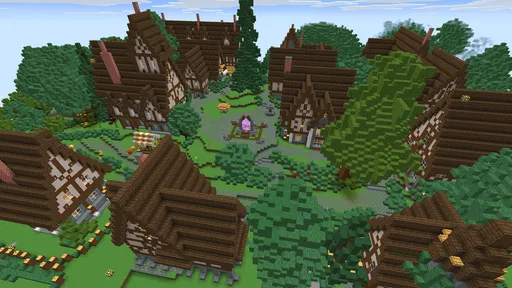
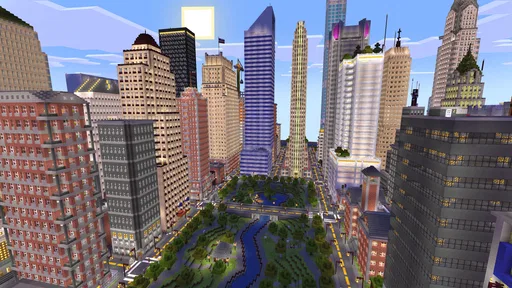
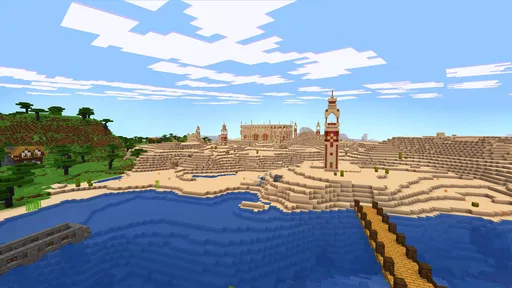
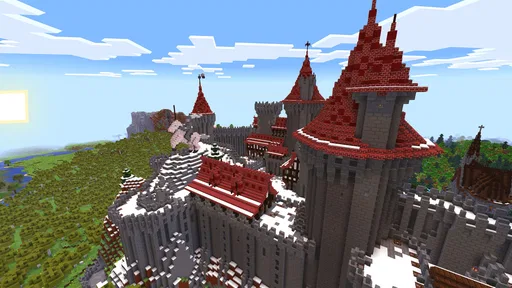
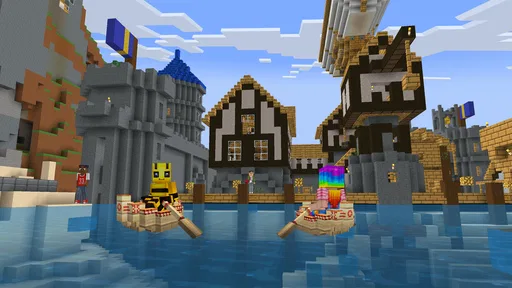
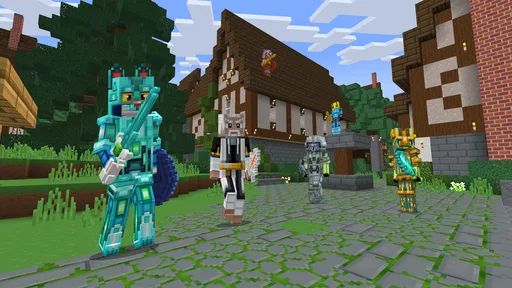
Our Review of Block Craft 3D: Planet Craft
 Analysis by Appyee
Before deciding whether this kind of game suits you, it helps to ask a practical question: do you enjoy making your own goals, or do you want the game to guide every step? That difference matters more here than the promise of a big world. My experience is that the building is most enjoyable when I arrive with a small idea and leave room to change it as I go.
I spent time with Block Craft 3D: Planet Craft as a relaxed adventure game built around a familiar idea: explore a block-based world, gather materials, and turn simple pieces into places you want to spend time in. It is free to start, aimed at Everyone, and developed by Playlabs LLC. That combination makes it easy to try, especially if you enjoy creative games but do not want a complicated first session.
What stood out to me is that the appeal is less about winning a traditional adventure and more about shaping your own little world. You can approach it as a casual building playground, a light exploration experience, or a creative activity for younger players. It is not trying to replace every large sandbox game, but it offers a more approachable route into block-building on mobile.
What you actually get before spending money
The game is available free of charge, so the initial decision is straightforward: install it, learn the controls, and decide whether the building loop suits you without paying an entry fee. That matters here because block-based games can feel very different on a touchscreen than they do with a keyboard, mouse, or controller. A free starting point lets you test the handling before treating it as a serious purchase.
There are in-app purchases ranging from $0.99 to $99.99 per item. I would therefore treat the free version as a way to access the core experience, while considering every optional purchase separately rather than assuming the game is completely cost-free. The important distinction is that you can begin without paying, but the presence of purchases means families should review spending controls before handing the device to a child.
I also would not confuse a free download with unlimited value for every kind of player. If you want a polished, fixed-price adventure with a clearly defined ending, this may not satisfy you in the same way. Its value depends on whether you enjoy returning to a world you are gradually shaping. For me, that made short creative sessions more appealing than chasing a conventional campaign.
The Android listing identifies version 6.4.6 and compatibility from Android 6.0 onward. That broad operating-system support makes it accessible on many older Android devices, although compatibility alone does not guarantee identical comfort on every phone or tablet. Screen size, touch response, and available storage can still affect how pleasant building feels.
A practical first session
My preferred way to begin was to resist the urge to build something ambitious immediately. I first learned how movement and block placement felt, then made a small, useful structure. That approach reveals whether the camera and touch controls work for you before you invest time in a complicated design.
For a child, I would set a simple goal such as creating a house with a path, a small garden area, and one recognisable landmark. This is more manageable than asking for a huge castle, and it encourages planning rather than random tapping. For an adult, the same method works as a low-pressure evening activity: choose one compact project, finish its outline, and leave the decorative details for another session.
A useful habit is to build in layers. Start with the shape, check how it looks from several directions, and only then add decoration. On a small screen, details that look balanced from one angle can make the structure feel crowded from another. The game is at its best when I treated construction as a series of small decisions instead of trying to place everything quickly.
Why the building loop can be satisfying
The strongest part of the experience is the immediate connection between an idea and a visible result. Even a basic shelter gives you a sense of progress because the world changes according to your choices. That makes the game suitable for players who enjoy creative ownership more than strict objectives.
I also found that the block format lowers the pressure to be artistically perfect. A rough structure can still become interesting once you vary its shape, add a second level, or create space around it. This is a quiet strength: the game gives beginners room to experiment without requiring them to understand advanced design principles first.
Another practical advantage is that projects can be scaled to the time available. A short session can produce a doorway, wall, or small extension. A longer session can focus on a larger settlement or a more ambitious landscape. That flexibility is valuable on mobile, where I may have only a few minutes rather than an uninterrupted afternoon.
For parents, the building format can support shared play without demanding that everyone have the same skill level. One person can plan the layout while another experiments with blocks and decoration. I would still supervise purchases and make sure the child understands that not every on-screen option needs to be selected.
Three ways to get more from it
First, use landmarks as navigation aids instead of placing buildings randomly. A tall tower, a distinct entrance, or a contrasting roof can help you recognise where you are when the surrounding terrain begins to look similar. This turns construction into a practical part of exploration rather than decoration alone.
Second, leave room around important structures. A building pressed against other objects may look acceptable while you are placing it, but spacing creates clearer paths and makes later expansion easier. I found that planning empty areas was almost as important as placing blocks, particularly when I wanted a small settlement to feel intentional.
Third, keep a “test corner” for experimenting with unfamiliar materials or shapes. Trying ideas there is less frustrating than altering the centre of a project and then wishing you had preserved the original design. It is a simple workflow, but it reduces the risk of turning creative play into repetitive rebuilding.
Readability and finding your way around
On a phone, a block world can become visually busy once a build grows, so I recommend checking important structures from more than one viewpoint instead of relying on a single close-up. A clear silhouette, a distinctive entrance, and deliberate spacing make a place easier to recognise. Those choices are useful design decisions as well as simple navigation aids.
I would also keep early projects compact enough that their purpose is obvious at a glance. A small cluster of buildings with a clear route between them is easier to understand than a spread-out settlement assembled without a plan. This is especially helpful for younger players who may enjoy making things but lose track of where one project ends and another begins.
Motor and sensory considerations
Touch controls are the central trade-off for mobile building. A player who is comfortable with short taps and camera adjustments can get into a relaxed rhythm, but precise placement may take patience. If someone has difficulty with repeated touch gestures or small targets, I would suggest trying a modest build first rather than assuming that a large, detailed project will feel comfortable.
The open-ended pace may suit players who prefer a calmer activity to fast competition, but that does not make the game automatically comfortable for everyone. Visual clutter can grow around a busy construction, and a long session may feel tiring on a small display. Taking breaks and keeping the current task focused can make play easier to manage without changing the game itself.
Where the trade-offs become noticeable
Touchscreen construction is convenient, but it is not as precise as building with a mouse and keyboard. Small adjustments can take patience, especially when you are trying to line up a detailed structure or view it from an awkward angle. I would not choose this game for someone whose main priority is exact, professional-style building control.
The open-ended format can also feel directionless. Players who need constant missions, clear rewards, or a strong narrative may wonder what they are supposed to do next. The freedom that helps creative players can leave goal-oriented players without enough guidance. Before recommending it, I would ask whether the person enjoys inventing objectives for themselves.
There is also a difference between playing casually and becoming invested in a large project. A small build is easy to manage, while a sprawling world requires more patience and organisation. Without a personal plan, it is possible to spend time placing blocks without developing a satisfying overall design.
The purchase structure is another consideration. Because the game is free to start but includes optional items across a wide price range, I would not describe it as a completely predictable cost experience. A player who is happy to use the free access may find good value, while someone who tends to buy extras impulsively should set a firm limit in advance.
Access in everyday situations
This is a practical choice for a short break when you want a task you can pause mentally and return to later. For example, after school a child could add a path to a small home, then show the change to a parent at the end of the day. The project has a visible endpoint, so the session need not turn into an attempt to finish an enormous world all at once.
For a family sharing one device, it helps to agree on a simple handoff: one person can choose the next small building task, while the other handles placement or decoration. That keeps participation flexible when players have different levels of confidence with touchscreen controls. It is not a substitute for checking how the controls feel for each person, but it can make a shared session less dependent on one builder doing everything.
How it compares with familiar alternatives
Compared with a traditional adventure game, this is much less about following a prepared story and much more about deciding what matters in your own world. If you want dialogue, dramatic set pieces, and a sequence of authored objectives, a conventional adventure title is likely to be a better fit.
Compared with larger block-building games, its main attraction is approachability. It can serve as an easier starting point for someone who likes the idea of crafting and exploration but feels overwhelmed by systems, long-term survival demands, or a massive learning curve. The trade-off is that experienced sandbox players may want deeper control and a broader sense of progression than this mobile-focused experience provides.
It also differs from purely decorative building apps because exploration remains part of the appeal. You are not only arranging objects on a blank canvas; you are interacting with a world that gives your creations context. That makes it more engaging for me than a simple room-design tool, although players seeking only interior decoration may prefer a more specialised app.
Who will find the best value
I think the strongest audience is made up of casual builders, younger players, families looking for a creative mobile activity, and fans of block-based worlds who want something easy to try. The Everyone content rating supports its broad accessibility, while the free starting price removes much of the risk of an initial experiment.
It is particularly useful for short, self-directed sessions. Imagine waiting for an appointment and deciding to improve one entrance or finish a small roof rather than beginning a huge project. That kind of stop-and-start play suits the phone format well. It also works after school or work when you want a creative task without the intensity of a competitive game.
I would be more cautious about recommending it to players who want deep combat strategy, a tightly written story, or highly precise controls. I would also steer away from it for anyone who dislikes open-ended games or who expects every meaningful feature to be included without considering optional purchases.
The audience size suggests that the concept has broad appeal: the game has passed 50 million installs, with an average rating of 4.1 from around 209,000 ratings. Those figures do not guarantee that it will suit you, but they do show that this is an established choice rather than an obscure experiment with no visible player interest.
My verdict on installing or skipping it
I recommend trying it if you want a free-entry adventure game where building is the main reason to return. The best value comes from using the no-cost access as a creative sandbox, setting your own projects, and deciding slowly whether optional purchases add anything important to your play. I would not spend simply because an item is available; I would spend only if it directly supports a project I already care about.
My honest reservation is that the game asks you to provide much of the motivation. When I had a clear idea, such as improving a landmark or organising a small settlement, it felt rewarding. When I opened it without a plan, the freedom could feel less exciting. That is not a flaw for creative players, but it is a real weakness for anyone waiting for the game to tell them exactly what to do.
Overall, Block Craft 3D: Planet Craft is a sensible download for curious beginners and relaxed builders, especially because the initial cost is free and the age rating keeps its audience broad. I would skip it if your priority is a cinematic adventure, complex systems, or precision construction. For everyone else, start with a modest build, keep purchases controlled, and judge the game by how much enjoyment you get from shaping your own space.
Privacy and Permissions
See what permissions an app requests and how it handles your data.
- Phone
- read phone status and identity
- Photos/Media/Files
- read the contents of your USB storage, modify or delete the contents of your USB storage
- Storage
- read the contents of your USB storage, modify or delete the contents of your USB storage
- Wi-Fi connection information
- view Wi-Fi connections
- Device ID & call information
- read phone status and identity
- Other
- view network connections, allow Wi-Fi Multicast reception, full network access, control vibration, prevent device from sleeping, Google Play license check
Verdict
Strengths of Block Craft 3D: Planet Craft
- Simple building tools make it easy for beginners to start creating.
- Large creative maps provide plenty of space for personal projects.
- Exploration adds variety beyond simply constructing buildings.
- Playable offline, making it convenient when an internet connection is unavailable.
- Frequent content updates can introduce new blocks and building possibilities.
Limitations of Block Craft 3D: Planet Craft
- Large worlds may take time to load on older phones.
- The free version includes advertisements that can interrupt play.
- Some advanced items and features may require in-app purchases.
- Controls can feel awkward when placing blocks with touchscreen gestures.
- Creative freedom may feel limited compared with more established sandbox games.
Similar Picks in This Category
View All
Roblox
Roblox Corporation4.2

Pokémon GO
Niantic, Inc.3.5

Ninja warrior: legend of adven
TOH Games4.6

Ninja Arashi
Black Panther4.6

Eyes - The Horror Game
Fearless Games sp. j.4.5

Critical Action:Gun Strike Ops
FPS Shooter & Action Game4.3
Frequently Asked Questions
What is Block Craft 3D: Planet Craft?
Block Craft 3D: Planet Craft is a creative sandbox game for Android and iOS in which you can build houses, villages, landmarks, and other structures using colorful blocks. It is designed around free-form construction rather than a traditional story campaign, so players can experiment with designs, explore community creations, and gradually expand their own virtual world at their preferred pace.
Is Block Craft 3D: Planet Craft free to download and play?
Yes, Block Craft 3D: Planet Craft can generally be downloaded for free, allowing players to begin building without purchasing the game upfront. However, the experience may include optional in-app purchases, advertisements, or paid resources that can speed up construction and unlock additional content. Parents should review the store settings and payment protections before allowing children to play.
Can I play Block Craft 3D: Planet Craft offline?
Some building activities may remain available without a constant internet connection, but online-related functions can require access to the internet. Features such as viewing shared creations, synchronizing progress, receiving updates, advertisements, or interacting with community content may not work properly offline. Availability can also vary by device, game version, and the developer’s current requirements.
Is Block Craft 3D: Planet Craft suitable for children?
The game is generally aimed at players who enjoy relaxed, creative construction and does not focus on realistic violence or complicated combat. Nevertheless, families should check the current age rating because it may contain advertising, optional purchases, and online or community features. Parents may also want to supervise younger players and use device-level controls to manage spending and interaction.
What devices are needed to run Block Craft 3D: Planet Craft smoothly?
Block Craft 3D: Planet Craft is available for compatible Android and iOS devices, but performance depends on the phone or tablet’s operating system, processor, memory, and available storage. Older devices may experience slower loading, reduced visual quality, or occasional lag, especially in large builds. Before downloading, check the official store listing for the latest requirements and available space.
Play our best games!


